WHAT'S
ON
MULTISTREAM SETUP, OBS AND RESTREAM

The Booth

Go live once. Land everywhere. Read one chat. Wake up to the clips.

The broadcast rig I go live on every week, built on your OBS and your accounts. One encode goes out and Restream lights every platform you toggle. YouTube, TikTok and Discord chat arrive in one rail with their marks. A gift on any platform gets a moment on screen and never a dollar figure. And the recording is cut, captioned and checked before you are awake.

Two ways to buy What you get

The problem, in your words

I go live on one platform and the people on the other three miss it. I cannot read four chats at once. Every stream I forget something: the mic, the music, the link on screen. And when it is over I have three hours of video nobody is going to watch.

Every one of those is a job a producer would do, and you do not have a producer. You have you, on camera, trying to run the booth at the same time. This is the booth, handed over.

What is handed over

Fourteen things, every one of them on air with me every week.

Each item below is a working piece of my own broadcast rig, installed on your machine and your accounts. Where a platform does not allow something, the limit is written on this page, not discovered on your first stream.

IN THE BOOTH
  • One encode out, every platform lit. OBS points at Restream and Restream fans out to YouTube, Facebook, TikTok, LinkedIn, X, and Twitch if you have one. A per-show table says which are on tonight. A fallback plugin pushes extra outputs straight from OBS if Restream's plan falls short.
  • The destination switch. One word picks tonight's platform and writes it to one file. The chat bridges, your site's live bar and your Discord live-now post all read that file. An unknown platform fails loudly instead of silently defaulting.
  • Stream keys that never touch a chat. Keys go from a local file straight into OBS's own settings. They are never pasted into a transcript, a message or a screen.
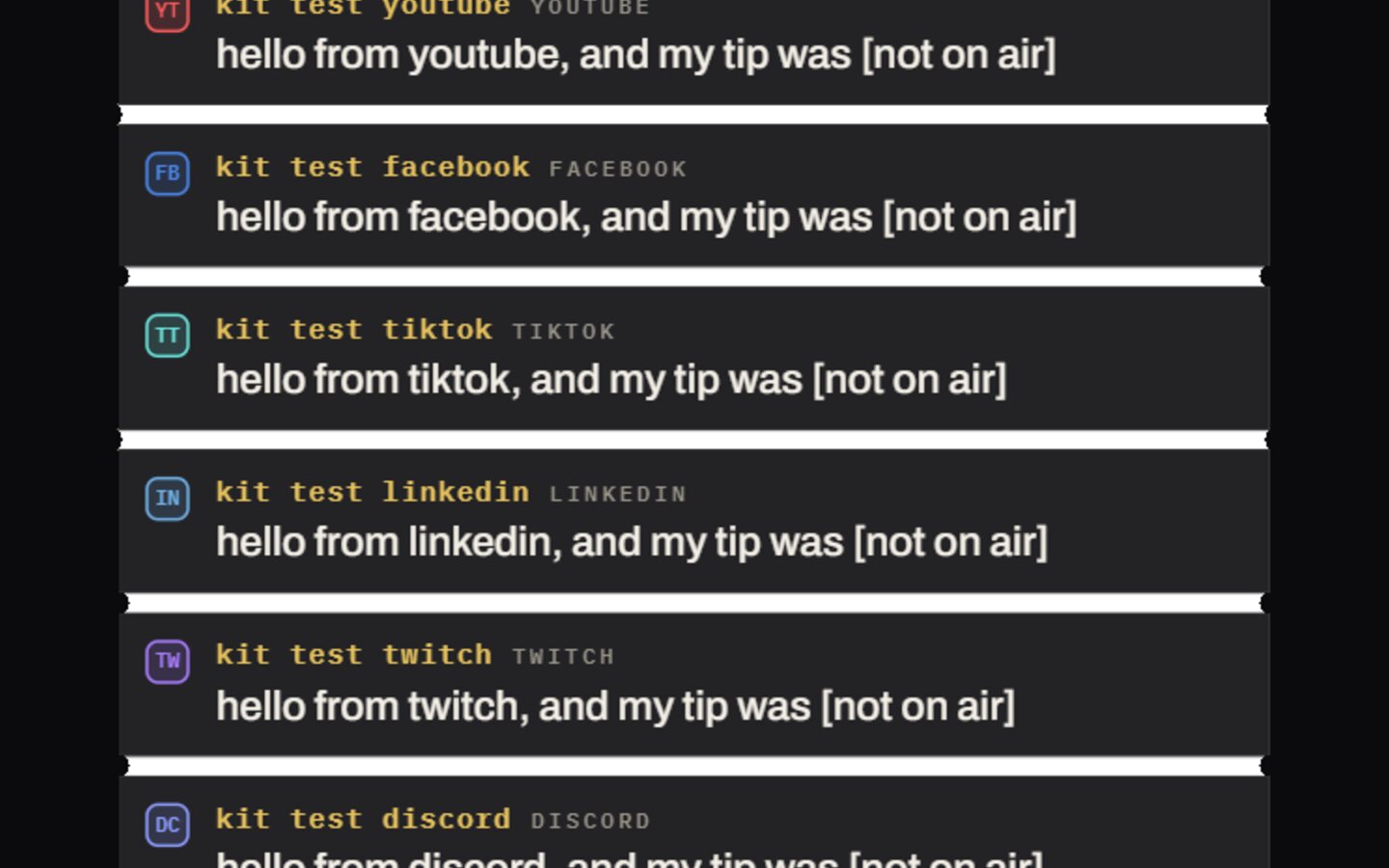
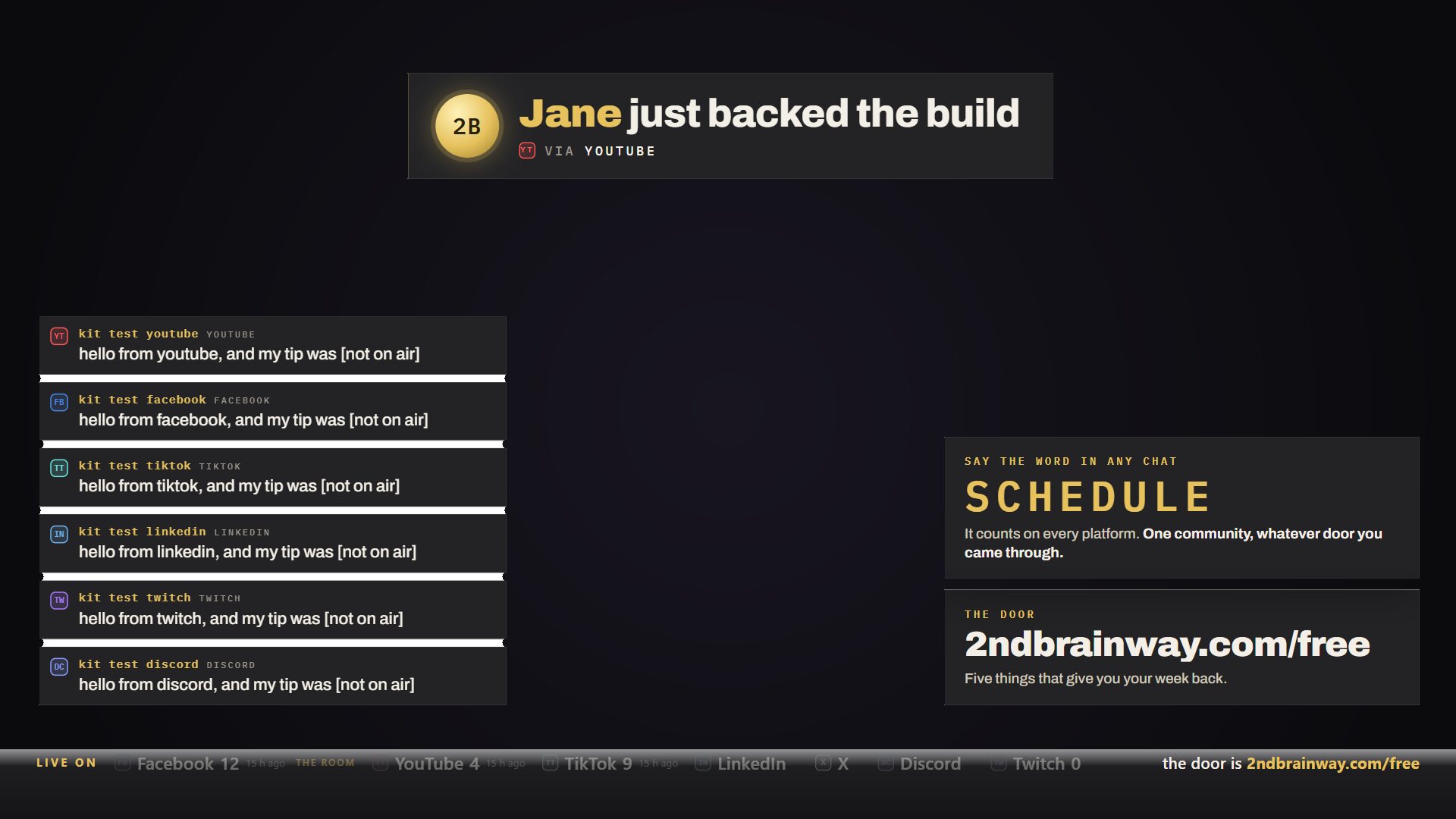
  • Merged chat with platform marks. YouTube, TikTok, Twitch and Discord lines in one rail, each tagged with its platform mark. Everything passes a moderation gate first, and viewer text is rendered as text, never as markup.
  • The Live On strip. Every destination that is lit, with live viewer counts for the bridged platforms, the last person who joined, the code-word tally and tonight's door.
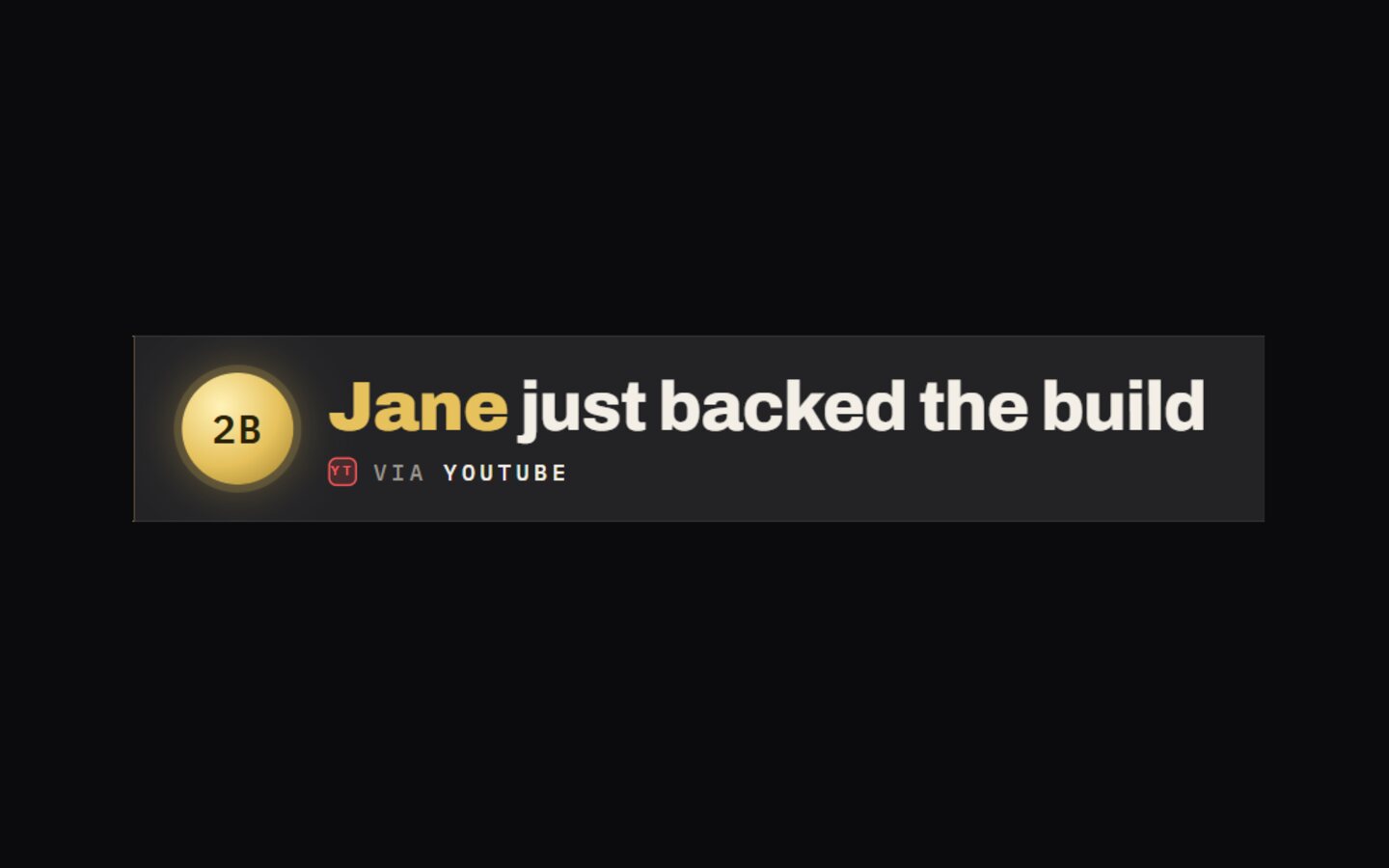
  • The tip moment. A gift on any platform, whether a Super Chat, a TikTok gift, a Star or a Bit, shows the giver's first name and a thank-you card for nine seconds with one house sound. The amount is never shown or spoken. That is a rule in the code, not a preference.
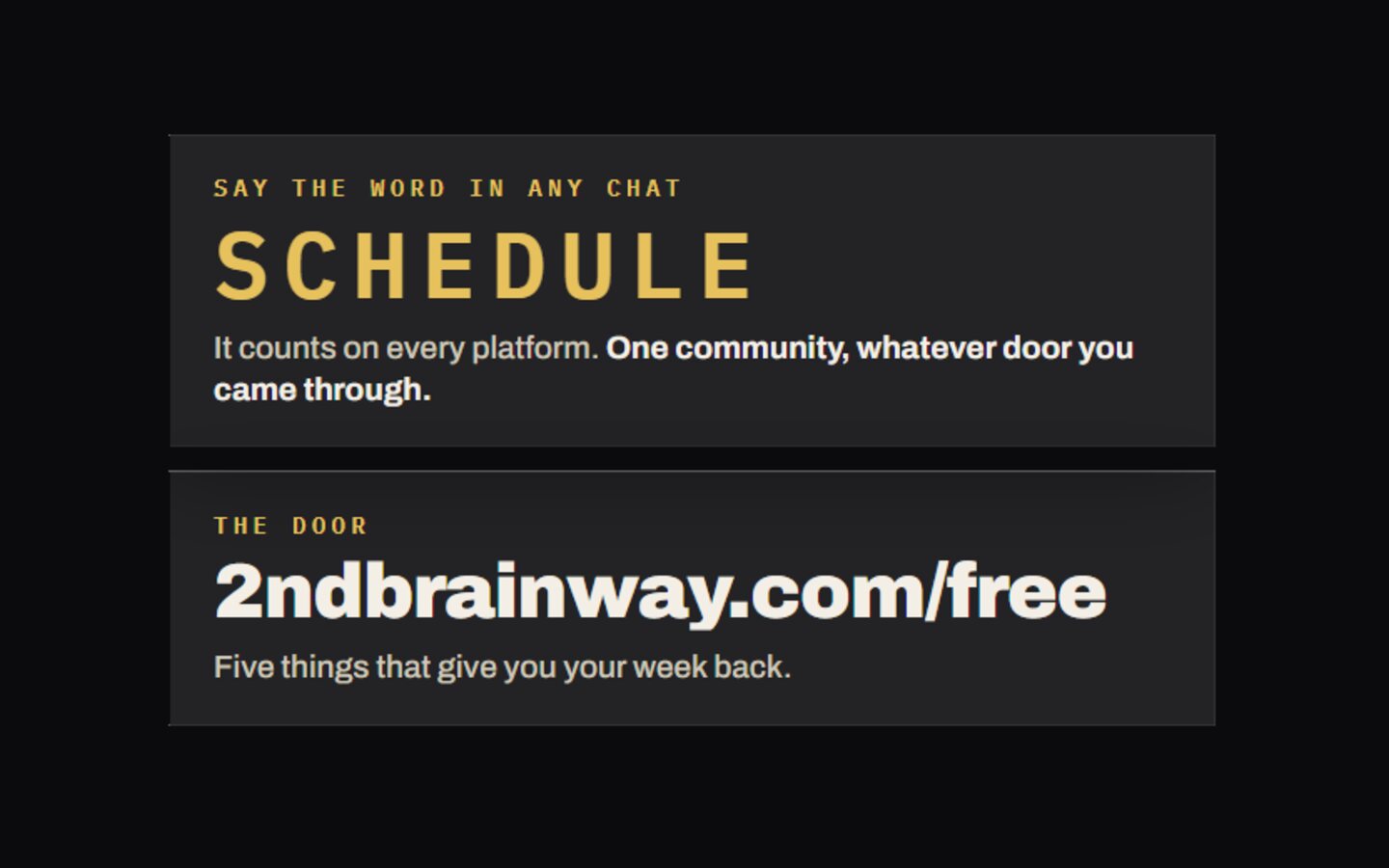
  • The word and the door. A code word viewers can type in any chat to be counted, and one door on screen: the page you want them on tonight. Both toggle from the booth.
  • The bridges. YouTube reads chat and, with a one-time grant, writes spoken replies back into YouTube's own chat. TikTok reads LIVE chat; replies are spoken on air because TikTok has no write path. Discord reads and writes, and opens the Stage.
  • The redactor. While you are armed, live or recording, dollar amounts, percentages, emails, phone numbers, anything shaped like an API key, a list of hot words and every name on your customer list are masked before they reach the screen or the assistant's mouth. Blunt on purpose.
  • The music guard. The instant the stream goes live, the room's desktop audio is muted and a licensed bed takes its place, so the song playing in your office cannot get the replay claimed.
  • Showguard and the recording guard. Every minute while live, invisible faults are fixed silently: a dead virtual camera, a black camera source, desktop audio that dropped. Anything that needs you is cued to your prompter, never to air. A runaway recording is stopped at a time limit or a disk floor.
  • Record and ISO. A local copy of whatever went out, anchored to the exact second it started. Each camera captured as its own clean file, no graphics burned in, for vertical cuts later.
  • The morning after. Moments are scored from the night's logs: wins, gifts, polls, follows. Clips are cut around them in both 16:9 and 9:16. Silent video gets the house bed, voice gets cleaned and levelled, captions are transcribed locally and burned in. Every clip passes a numeric cut standard, loudness, dead air, caption coverage, end card, before it is allowed to ship.
  • The booth and the one-button check. A producer's panel for stream state, cues, the tip goal and polls. One button before you record: the mic sampled for three real seconds, both cameras checked for motion, notifications off, prompter open.

Day one

You go live from OBS and land on every platform you toggled.

The rig is installed on your machine and pointed at your Restream account. Your keys go in from a file. The chat server, the overlays and the booth run locally. You press one button, get the readout, and go live.

YouTube, TikTok and Discord chat arrive in one rail. The first gift fires the tip moment. The door card points where you want people to go.

While you sleep

The night is cut, captioned and checked by morning.

The recording is anchored to the exact start. Moments are scored from the logs. Clips are cut in both shapes, given sound and words, and gated by the cut standard.

In the morning you have a contact sheet of clips that passed and a list of the ones that did not, with the number that failed them.

Handed over, then broken in front of you

THE METHOD

I install it on your machine and your accounts, on a call, with you at the keyboard. Your Restream, your YouTube, your TikTok, your Discord. Nothing is routed through mine.

Then I break it. I pull the mic cable and you watch the cue land in your prompter, not on air. I type a phone number into your chat and you watch it come out masked. I start a song in the room and you watch it go silent the second the stream starts.

You leave with the OBS profile, the destination table, the overlay files, the key files on your own disk and the recording of the build. When a platform changes something and a bridge breaks, and one will, you reply to my email and we fix it.

You keep: the OBS profile and scenes, the destination table, every overlay, the chat server, the clip pipeline, and the recording of the build.

FOR YOU IF
  • You go live weekly on more than one platform. The fan-out and the merged chat pay for themselves the first night.
  • You run a show for a business. The redactor, the music guard and the never-show-the-amount rule exist because a business stream has things it must not leak.
  • You have hours of replay nobody watches. The morning-after pipeline is the part most people are paying an editor for.
NOT FOR YOU IF
  • You stream once a quarter. Set up Restream by hand and keep the difference.
  • You will not run OBS. TikTok LIVE Studio alone cannot be driven by this rig.
  • You want chat on screen unmoderated and unredacted. The gate is not optional.

Two ways to buy

Buy it once, or have me run it.

Both shapes hand you the same thing. The difference is who fixes it the day a platform changes something. Prices are on the card, and the card is one message away.

one time

Build and handover

Built on your accounts, on a call, in front of you. Then broken on purpose so you see where it fails before it fails on you. You keep everything: the spec, the config, the bank, the recording of it being built.

Price on the card

Ask me for the card

monthly

Run and keep it working

Everything in the build, plus a standing seat of mine on it: the checks every morning, the fix when a platform moves, the refresh of what it posts, and a reply line to me when it breaks. Cancel with 30 days notice and keep the build.

Price on the card

Ask me for the card

Every checkout runs on Stripe: cards, Apple Pay, Google Pay, a receipt in your inbox. Or text (904) 478-0440 and ask for the Booth card.

Straight answers, including the limits.

Whose Restream account is it?

Yours. Restream is the fan-out and it is their product on their plan. I set it up inside your account and point your OBS at it. How many platforms you can hit at once is set by the Restream plan you choose, not by me.

What does TikTok need?

LIVE access on your TikTok account, which TikTok grants, not me. The chat reader uses an unofficial connector that can break when TikTok changes its side. There is no way to write replies into TikTok chat, so replies to TikTok viewers are spoken on air.

What about Facebook?

Facebook Live goes out through Restream to your profile or your Page. Facebook does not expose live comments on either, so Facebook chat is not in the merged rail automatically. LinkedIn and X ride Restream the same way, and X live needs a Premium account.

What does YouTube need?

A YouTube Data API key on your Google account for reading chat, and a one-time OAuth grant if you want replies written into YouTube's own chat column. YouTube's daily quota is finite, so write-backs are capped per run.

What machine and software?

OBS Studio 28 or newer with the built-in websocket on. Windows for the process-priority manager and the one-button check. A local transcription install for captions, so no audio leaves your machine. A voice service such as ElevenLabs only if you want spoken replies; the cards on screen need no voice at all.

Can it show how much someone tipped?

No. The card shows a first name and the platform. The amount is never rendered or spoken, and that is enforced in the code.

What is not included?

Restream, YouTube, TikTok and voice-service fees, which are on your accounts. Cameras, mic and lights. A Discord room with a stage and a live-chat channel, which is The Room. Both, wired and run together, is the studio solution.
Plug and play with The Room

The Booth already writes to the one file The Room reads. Add The Room That Runs Itself and going live fires your live-now post, opens the Stage, and puts your Discord live-chat channel in the rail with no second setup.

Both, wired together and run as one, is The Studio Solution.